 Watch video2:42
06 / Understanding patents
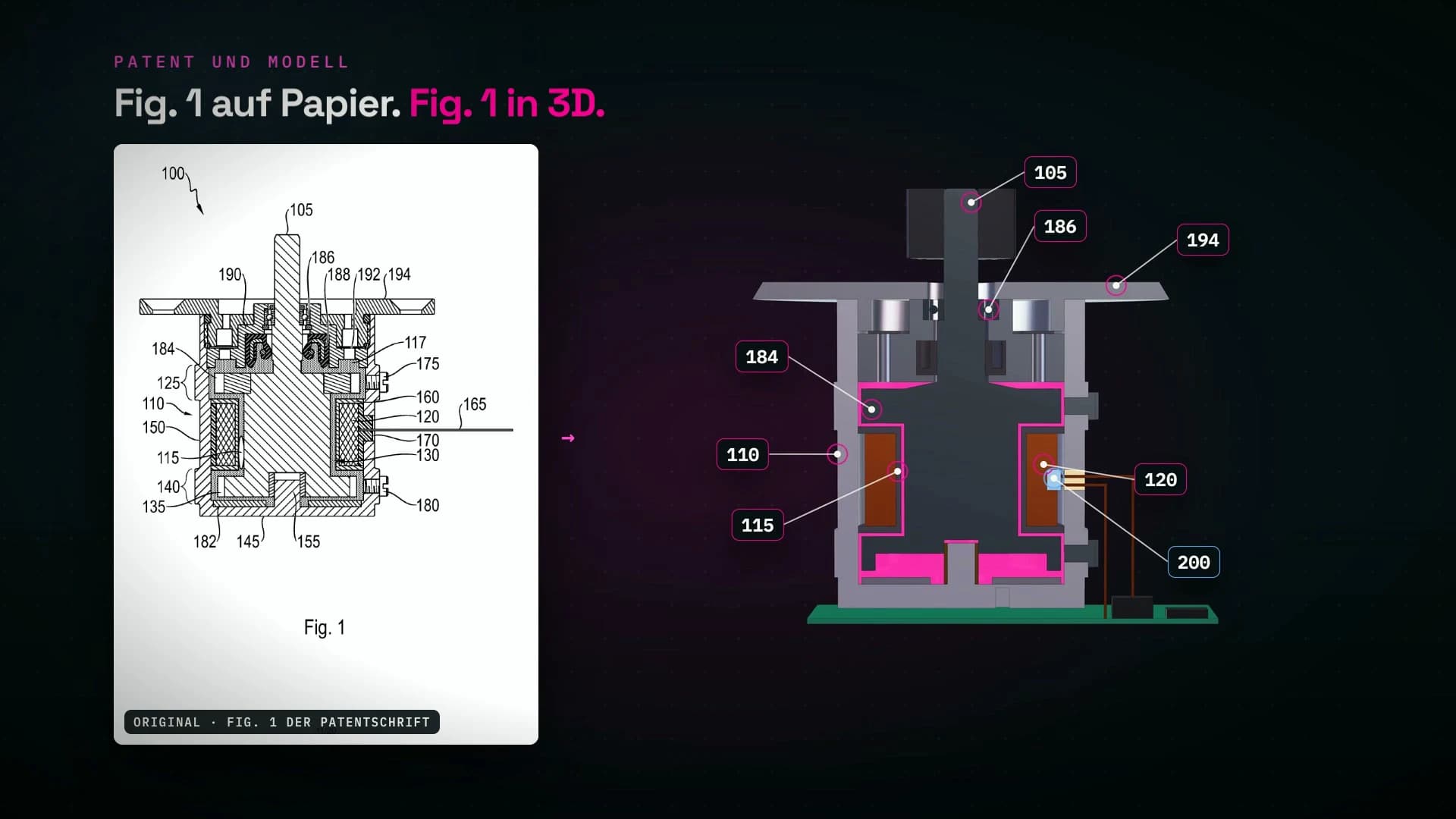
Patent → 3D model
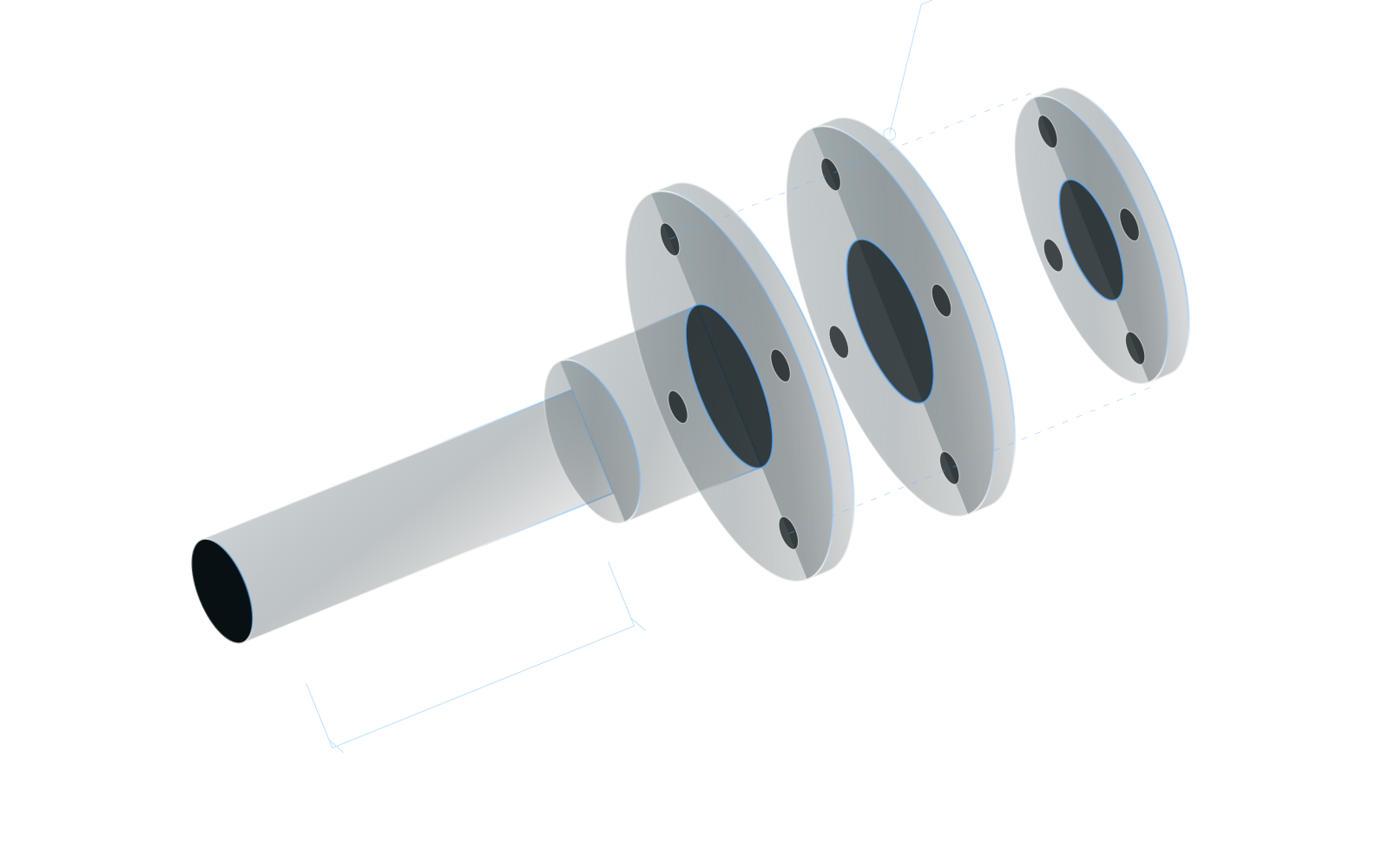
A patent document becomes a spatial assembly. Section views and an exploded view reveal its structure.

AImation / Engineering workshop
CAD, FEM, patent models, CNC, electrical planning and our own applications in action: watch the complete videos, explore the tools and check their current development stages.
01 / AI2CAD + AI2CAE
Follow a mounting plate and a shaft through our development work. Choose a step and see how a language model operates CAD and CAE.
5 videos · Choose your starting pointChapter 01 / 05 · AI2CAD
A mounting plate described through dimensions and modelling steps. The language model operates the connected CAD system and builds the geometry step by step. Dimensions remain editable afterwards.
Engineering reviewThe model check compares geometry against the specification. Load capacity and suitability for the intended application require separate assessment.
Chapter 02 / 05 · AI2CAD
A photograph of a hand sketch becomes the starting point for a stepped shaft. AI separates readable dimensions from derived values and assumptions. Four questions clarify the design before modelling begins.
Engineering reviewMissing dimensions and the simplified thread representation are explicitly agreed. The result is a design model.
Chapter 03 / 05 · AI2CAD
AI reads parameters and geometry and flags issues: missing reliefs, sharp shoulders and unresolved functional requirements. Questions, proposed tolerances and approved model changes follow.
Engineering reviewThe demo allows AI to propose assumptions. Bearing selection, standards references and functional dimensions require engineering review.
Chapter 04 / 05 · AI2CAD
Views, dimensions, tolerance frames and surface specifications take shape on an A3 sheet. AI examines the drawing as an image, corrects overlapping elements and records the remaining review tasks.
Engineering reviewThe demo leaves a bearing shoulder with insufficient height and individual relief dimensions to check against the standard. Manufacturing approval has not been demonstrated.
Chapter 05 / 05 · AI2CAE
A 1,500 N load acts on the shaft hub. The large language model controls the analysis workflow in the connected CAE system: setting up supports and loads, solving three meshes and comparing the results with a hand calculation.
Engineering reviewThis is a linear-elastic, static demonstration analysis. Idealised supports, local stresses and mesh convergence require engineering assessment. Fatigue, actual bearing contacts and part approval are not established.
Own development demonstration · German on-screen text · Website editions without audio, product names obscured · Videos load on play
Start with a sketch, inspect a drawing or jump straight to the FEM analysis.
Background and questions about CAD integrationExplore further after CAD and FEM
Understand a patent, prepare a CNC program or follow an electrical schematic taking shape. Each example opens a separate development task with its own starting point.
Watch video2:4206 / Understanding patents
A patent document becomes a spatial assembly. Section views and an exploded view reveal its structure.
 Watch video2:22
07 / Manufacturing preparation
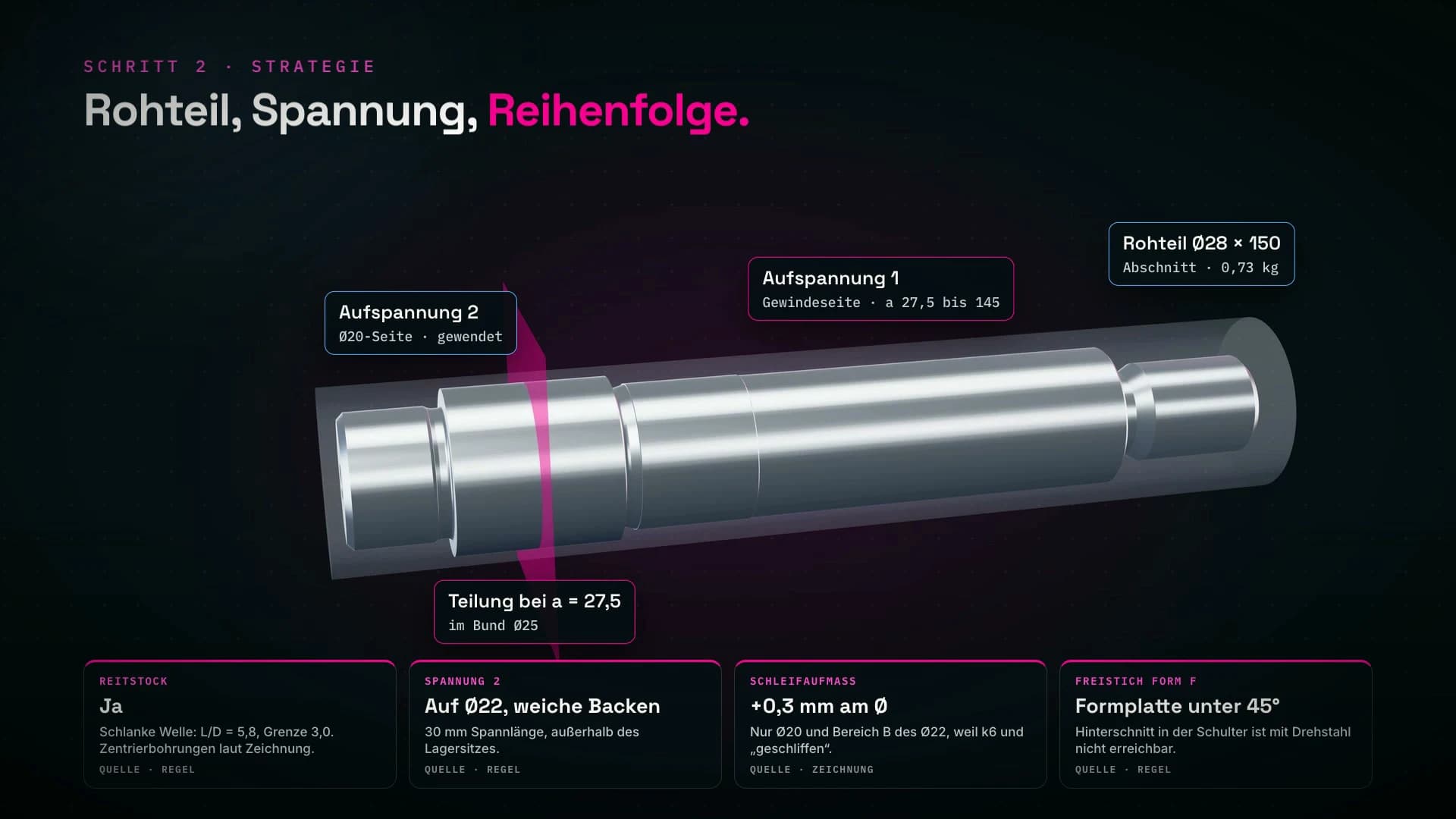
From a 3D model to setups, machining sequence and NC programs. The simulation shows the planned machining operations.
 Follow the process1:52
New series · KI × Elektro · 01
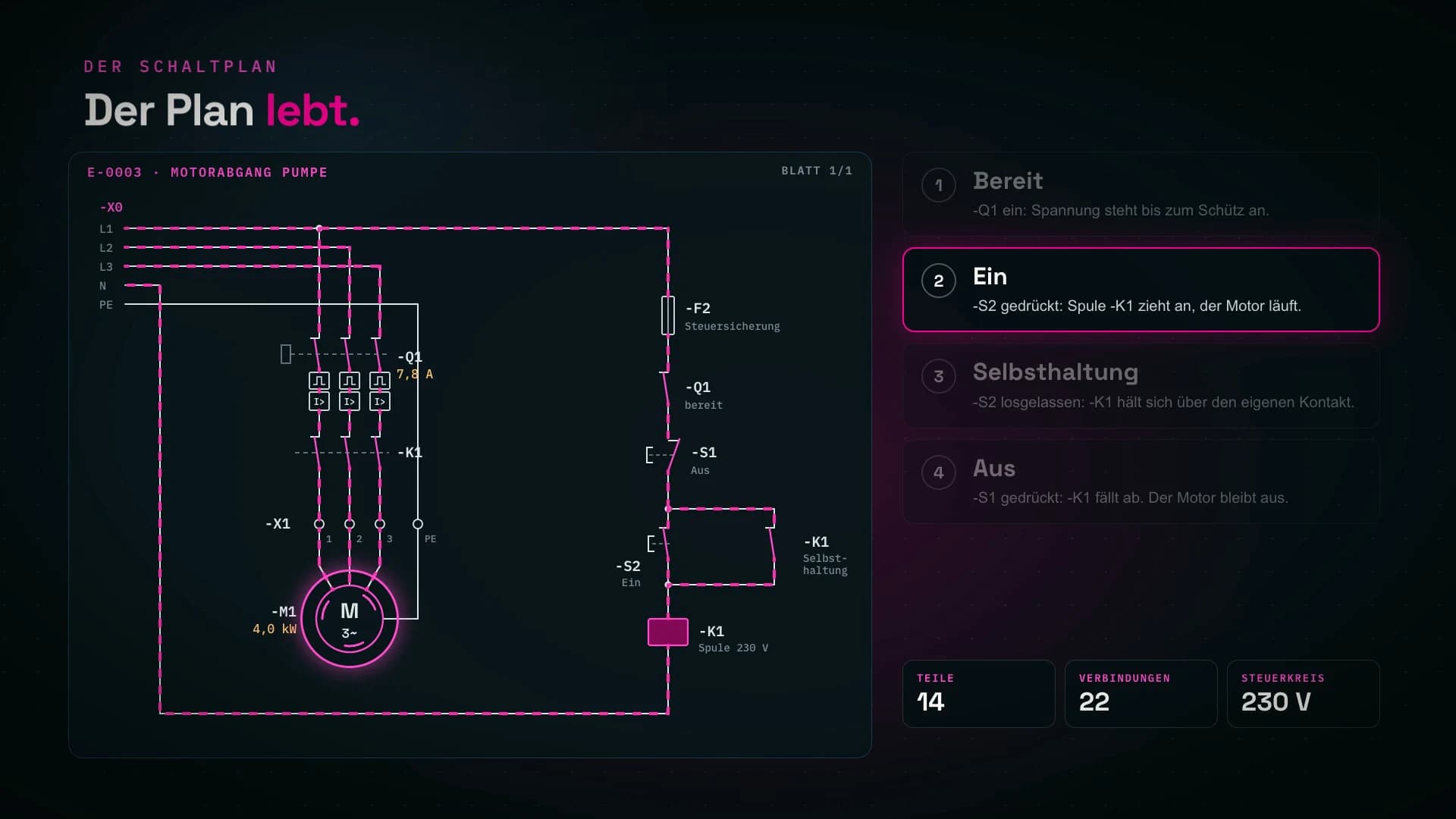
A pump needs a motor feeder. Watch how the task becomes a calculation, how assumptions are exposed and how the circuit takes shape. The switching states make the result visible.
Explore the electrical series →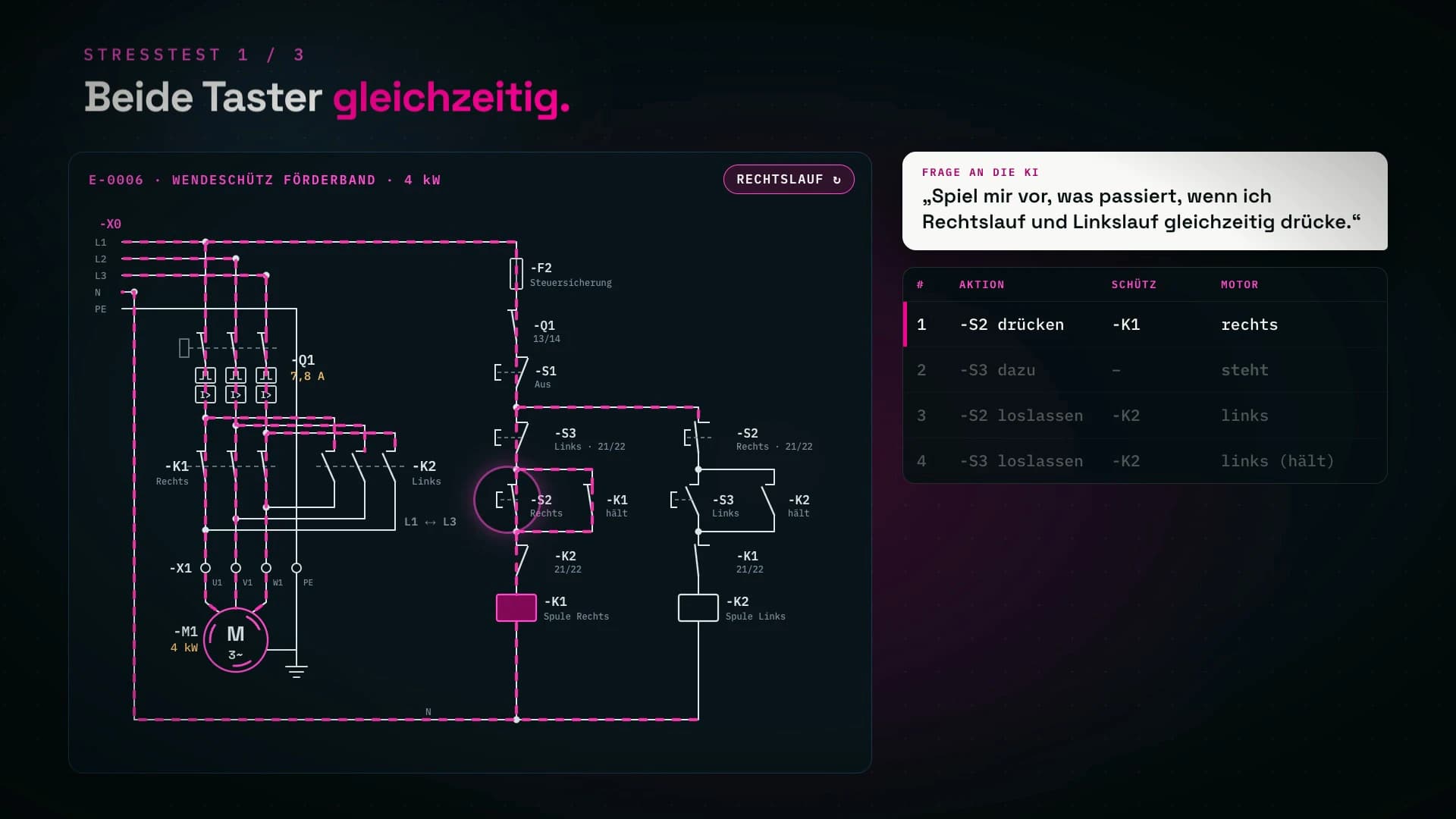 Explore the fault scenarios1:52
KI × Elektro · 02
Forward and reverse at once. What does the model show when interlocks are missing? Follow the fault scenarios for a conveyor and then the star-delta design for a fan.
Watch part 2 with chapters →02 / Applications from our workshop
Project bottlenecks, variant rules or knowledge in your team: choose your topic. Each video takes you into one of our applications for 90 seconds.
Work packages, schedules and capacity come together in one system. The video shows how they inform explained project indicators and a status report.
Shown in the video: AI risk radar and AI report drafts. This is a demonstration using fictional project data. Pilot scope, authentication and integrations need to be agreed.
PM Demonstrator: video and description ↗PM Demonstrator: workflow and prerequisites →
Which combination is technically feasible? VariantHub checks features and rules, explains exclusions and shows the impact of a change before approval.
Developed with AI. The core uses deterministic rule checks. AI-generated rule suggestions are a planned extension. The video uses demo data.
VariantHub: video and description ↗VariantHub: workflow and prerequisites →
Which skills does the team hold, and where does knowledge depend on one person? Skillmatrix connects team coverage, knowledge risks and future requirements.
Developed with AI. The demonstration uses the fictional company Musterwerk Mechatronik. These views support skills planning, not individual performance evaluation.
Skillmatrix: video and description ↗Skillmatrix: workflow and prerequisites →
Own projects with demo data. The recordings show development stages, not customer references. Videos only load when you press play.
Explore our AI tools for root-cause analysis, simulation data and idea evaluation. The original screenshots show their current development stages.
An AI coach guides root-cause analysis and asks follow-up questions. The example shows a broken snap-fit on an assembly line.
The team confirms the root cause and corrective action.
Original screenshot · own projectA tool for querying and visualising your own simulation data. Shown here: von Mises stress in a sample component.
Load cases, model assumptions and approval remain the analyst’s responsibility.
Original screenshot · own projectAn optimist, a realist and a critical counterpart develop an idea and debate its weaknesses. The screenshot shows a debate assessment.
Scores support discussion. You decide which idea to pursue.
Original screenshot · own projectA look at our own development work. The examples are not customer references or evidence of a guaranteed time saving.Explore application ideasExperience how your team learns to work with AI
These are some of the tools we work with. We assess their suitability against your tasks, data and existing systems. Access rights and the operating model are part of the selection.
30-minute conversation. You get a concrete first step, even if we never work together afterwards.
Free, no obligation. Holger Peschke replies personally.
2 minutes, no prior knowledge needed